
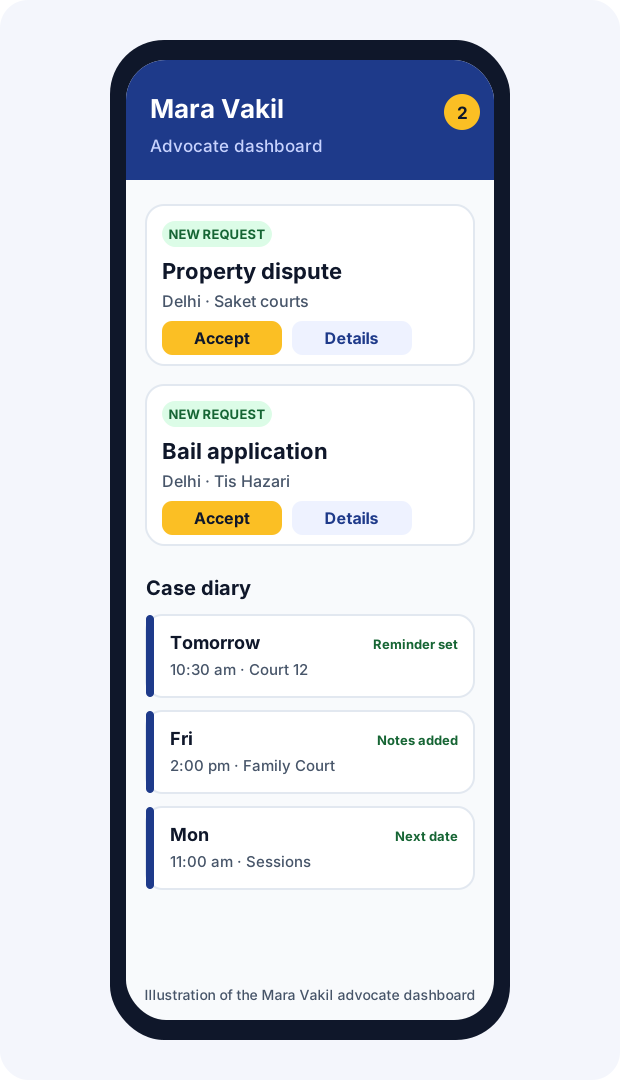
Keep every hearing date in one place, get a reminder a day before, keep clients updated with hearing notes, and receive client requests in your area, all free on Mara Vakil, on your phone.
Every advocate knows the feeling: a matter is called, and you are in another court; a date was changed in the afternoon and nobody wrote it down; a client calls for the fifth time to ask what happened last week. In a system as busy as India's, managing dates is not an administrative detail. It is the core of practice.
The numbers explain why. According to figures from the National Judicial Data Grid given in Parliament in February 2026, more than 4.76 crore cases were pending in district and subordinate courts at the end of 2025, with more than 63 lakh pending in the High Courts. Each of those cases has dates, adjournments and next steps. An advocate with even a modest practice can have a hundred or more live matters spread across several courts, each with its own rhythm.
Most advocates still manage this with a paper register, a phone calendar, a clerk's memory and the eCourts app, often all at once. Each works in part. The register is reliable but stays in the chamber. The calendar does not know which matter is which. The clerk may be on leave. The eCourts app is excellent for official status but does not record what you told the client or remind the client of anything.
Mara Vakil's diary was built to sit alongside these tools and fill the gaps: one place for every case, reminders that reach you, and notes that keep clients informed without endless calls.
| Tool | What it does | Who sees it |
|---|---|---|
| Case diary | All your cases, with dates, courts and client details | You |
| Your day in court | Today's and tomorrow's hearings, the next seven days and a monthly view | You |
| Reminders | One day before and on the day of each hearing | You |
| Outcome notes | What happened at each date, shared or private | You, and the client for shared notes |
| Client tracking | Dates and shared notes for one case | The client, with the case ID and mobile number |
| Client requests | Matters from your city in your practice areas | Approved advocates in that area and city |
| Court groups | Notices for advocates practising in a court | Members of the group |
| Intern Hub | Internship postings and applications | You and applicants |
| Field | Required? | Tip |
|---|---|---|
| Case title | Yes | Use the short title you use in your register, such as "Sharma v. Sharma". |
| Case type | Optional | Helps you filter and see your practice mix. |
| Case number | Optional | As it appears on the cause list. Add it once the matter is numbered. |
| Court | Recommended | The court complex and court, for example the family court at a named complex. |
| Court room or bench | Optional | Saves time on the morning of the hearing. |
| Judge or officer | Optional | Useful where benches change. |
| Client name, mobile, email | Recommended | The mobile number lets the client track the case with the case ID. |
| Consultation fee | Optional | For your own record only; it is not published. |
| Stage of case | Optional | For example, notice, pleadings, evidence, arguments, judgment. |
| Hearing dates | Recommended | Add every date you know. Times are optional. |
The most valuable habit in diary keeping is recording what happened while you are still in the court corridor. Mara Vakil makes it a few taps.
| Shared with client | Private note | |
|---|---|---|
| Purpose | Keep the client informed in plain words | Your own analysis, strategy, reminders to yourself |
| Who sees it | You and the client, through case tracking | Only you |
| Good example | "The court asked the other side to file their reply. Next date 14 March; you need not attend." | "Bench seemed unconvinced on limitation; prepare the Supreme Court judgment on condonation." |
When a date changes, the record keeps the history, so you and the client can see how the matter has moved.
Every matter listed today, with court, room and time if you added them, and a reminder to keep files ready.
What to prepare tonight, so nothing comes as a surprise.
A week ahead, for planning drafting and travel between courts.
A calendar view to spot clashes and busy days.
Your full list, searchable, with closed matters set aside.
Inside each case, upcoming dates and the history of past dates with their notes.
Reminders are only useful if you see them. Mara Vakil shows them in two places.
Clients are often anxious between hearings and call to ask what happened. Shared notes answer most of those questions before they are asked.
The mobile number must match the one you entered for the client, which keeps a case from being opened by anyone with only the case ID.

The diary is linked to the other half of Mara Vakil: requests from people who need an advocate. When someone in your city describes a matter in one of your practice areas, on a guide such as divorce, family, criminal or bail, or through the Find Advocate form, the request appears on your dashboard.
A court group brings together Mara Vakil advocates who practise in the same court complex. It is run by Mara Vakil and is not the official bar association of the court; think of it as a notice board for colleagues.
Updates about court timings, cause list changes, holidays and practical matters, with a bell and sound while the site is open, and phone notifications if you allow them.
Stay connected with advocates in the same court, useful when you need someone to cover a matter or want to refer one.
Join the groups you want, leave any time, and delete your group records whenever you like.
Groups open after your profile is approved. See the court groups page and the court groups terms.
Good interns are hard to find for advocates without institutional connections, and good internships are hard to find for students outside the best-known law schools. The Intern Hub connects the two.
Read the internship terms and visit the Intern Hub.
There is nothing to download from an app store. Open maravakil.com in your phone's browser, log in, and choose "Add to home screen" or "Install" when offered. Mara Vakil then opens like an app, and once you allow notifications, you receive hearing reminders, client requests, court group notices and messages from the Mara Vakil team even when the site is closed.
| What you are notified about | Where |
|---|---|
| Hearing reminders, one day before and on the day | Mara Vakil notifications and phone |
| New client requests in your areas | On screen with a chime, and phone notification |
| Court group notices | Bell and sound on the site, and phone notification |
| Notices from the Mara Vakil team, sometimes with a picture | On screen and in your notifications |
The government's eCourts Services app and website are essential tools. They let you search a case by its 16-digit CNR number, case number, party, advocate or FIR; view cause lists; and save cases in a "My Cases" diary with alerts for the day's matters. Mara Vakil does not replace them and does not pull data from them automatically. The two work best together.
| Task | eCourts Services | Mara Vakil diary |
|---|---|---|
| Official case status and next date | Yes, from court records | You enter it |
| Cause lists | Yes | No |
| Reminders a day before each hearing | Alerts for today's cases | Day before and on the day |
| Notes on what happened, in your words | No | Shared or private |
| Client can follow your notes | No | With case ID and mobile |
| Linked to new client requests | No | Yes |
| Matters not yet filed or numbered | Not until filed | Yes, from day one |
A simple routine: check the eCourts cause list and case status each evening for tomorrow's matters, update any changed date in Mara Vakil, and write your shared note after each hearing. The official record and your client communication then stay in step.
| Paper register | Spreadsheet or calendar | Mara Vakil diary | |
|---|---|---|---|
| Cost | Low | Free | Free |
| Reminder before each date | No | If you set it each time | Automatic, day before and on the day |
| Outcome of each date recorded | Handwritten | If you add a column | Heard, adjourned or not taken up, with notes |
| Client can see updates | No | No | Shared notes |
| Linked to client requests | No | No | Yes |
| Available in court on your phone | If you carry it | Yes | Yes |
| Works if your phone is lost | Yes | If backed up | Log in from another device |
Many advocates keep their paper register as well. The diary is meant to make your system more reliable, not to replace habits that work.
The worry most advocates have about a digital diary is the changeover: what if something is missed in the move? A careful approach avoids that.
Here is how the tools fit into an ordinary working day for a district court advocate. The matters and times are illustrative.
None of this replaces your files or your judgement. It removes the small failures, a missed date or an unanswered client, that damage a practice more than any lost argument.
| Practice area | What to record carefully |
|---|---|
| Criminal and bail | Remand dates, bail hearing dates, the date by which a charge-sheet is due, and next dates in Sessions or High Court. Add a private note of the default bail deadline where relevant. |
| Family and matrimonial | Mediation and counselling dates, interim maintenance hearings, and the second motion date in mutual divorce. |
| Cheque bounce | Summons and appearance dates, the stage of the complaint, and interim compensation orders. |
| Property and civil | Stages of pleadings, issues, evidence and arguments; dates for filing written statements and replies. |
| Consumer | Commission hearing dates, dates for filing versions and evidence affidavits. |
| Motor accident claims | Tribunal dates, insurer's reply, evidence of witnesses and doctors. |
The diary does not calculate limitation periods or statutory deadlines for you. Note such deadlines yourself as dates, and check them against the law.
Many advocates rely on a clerk or junior to keep the diary. They can help by entering dates and notes during the day, but the account belongs to the enrolled advocate, so keep these points in mind.
See our Privacy Policy for details.
Being clear about limits helps you use the tool safely.
A missed date is rarely just an embarrassment. Indian procedure attaches real consequences to non-appearance, and the client bears most of them.
| Type of case | What can happen if no one appears |
|---|---|
| Civil suit, plaintiff absent | The suit can be dismissed for default under Order IX of the Code of Civil Procedure, and the plaintiff must then apply for restoration with sufficient cause. |
| Civil suit, defendant absent | The court can proceed ex parte and pass a decree, which the defendant must then apply to set aside. |
| Criminal case, accused absent | The court can issue a warrant for the accused's appearance and, in some cases, consider cancelling bail. |
| Complaint case, complainant absent | Some complaints can be dismissed for the complainant's non-appearance. |
| Appeals and revisions | Matters can be dismissed for non-prosecution, requiring restoration applications. |
| Any case | Costs may be imposed for adjournments or delay, and the client loses time and confidence. |
Restoration is often possible, but it costs the client money and months, and it costs the advocate trust that is hard to rebuild. A diary that reminds you a day before and on the day is cheap insurance.
Ask any advocate what takes up their evenings and many will say phone calls from clients asking what happened in court. Most of those calls come from anxiety, not distrust. A client who took leave from work to wait for news, or who is facing family pressure, simply wants to know.
Short written updates change this. When clients can read what happened at each date and when the next date is, the number of calls falls, complaints about "nothing happening" fade, and clients recommend advocates who kept them informed. Shared notes in the diary turn this into a habit that takes seconds per hearing.
| Situation | Example shared note |
|---|---|
| Adjournment at the other side's request | "The other side asked for time to file their reply. The court allowed it. Next date 14 March. You need not attend." |
| Court did not sit | "The court did not take up matters today. The next date will appear in a few days; I will update you." |
| Arguments heard | "Arguments on our application were heard today. The court has reserved its order. I will inform you when it is pronounced." |
| Evidence stage | "Our first witness was examined today. Cross-examination is on the next date. Please be present on 2 April with your original documents." |
| Referred to mediation | "The court has referred the matter to mediation. The first session is on 20 March at the mediation centre. Please bring your income documents." |
| Interim order | "The court has granted interim protection until the next date. Please follow the conditions we discussed." |
| Bail granted | "Bail has been granted. We are completing the bond and surety formalities; I will tell you as soon as the release order is sent." |
| Final order | "The court has passed its final order today. In brief, [result]. If an appeal is needed, the time limit is [period]. We will discuss next steps." |
A diary that works for twenty cases can collapse at two hundred unless you add a little structure.
| Practice size | What usually breaks | What helps |
|---|---|---|
| Up to 30 live matters | Rarely anything; memory still works | Build the habit of entering every date now |
| 30 to 100 | Clashes between courts, forgotten small matters | Daily look at tomorrow; weekly look at the next seven days |
| 100 to 200 | Updates not reaching clients; juniors and clerk out of sync | Shared notes as a rule; one person responsible for daily reconciliation with eCourts |
| Above 200 | Matters drifting without action between dates | Use the stage field; review cases with no next date every week; close disposed matters promptly |
Every advocate with matters in more than one court faces clashes. Planning reduces the damage.
The diary holds many of these directly; for the rest, use private notes.
Using the stage field well means knowing what usually comes next. A short refresher on the common stages helps you set realistic next steps and explain them to clients.
| Stage | What to note in the diary |
|---|---|
| Filing and summons | Date of service on the defendant; first appearance date |
| Written statement | The deadline, ordinarily 30 days from service, extendable up to 90 days under the Code of Civil Procedure, and 120 days with strict limits in commercial suits |
| Replication and documents | Dates for filing and for admission or denial of documents |
| Framing of issues | The issues framed, in a private note |
| Evidence | Each witness date, with who is to be examined |
| Arguments and judgment | Argument dates and the date the judgment is reserved or pronounced |
| Stage | What to note |
|---|---|
| Bail and remand | Remand dates, bail hearing dates and the charge-sheet due date for default bail |
| Cognizance and appearance | Date the court took cognizance; appearance and supply of documents |
| Discharge and charge | Date for discharge arguments and framing of charge |
| Prosecution evidence | Each witness date |
| Statement of the accused | The date for the accused's examination by the court under Section 351 of the BNSS |
| Defence evidence and arguments | Dates, and the judgment date; the BNSS expects judgment within 30 days of arguments, extendable to 45 |
Note counselling and mediation dates separately from court dates, interim maintenance hearings, and, in mutual consent divorce, the dates for the first and second motions. Shared notes here should be especially careful and kind.
Under the Consumer Protection Act, 2019, the opposite party is given time to file its version, generally 30 days with a possible extension of 15 days. Note those dates and the dates for evidence affidavits and arguments.
For a client's view of these stages, our guides on criminal cases, divorce and family law explain the process in plain words; they are useful to share with clients who want to understand where their matter stands.
| When | Routine |
|---|---|
| Every evening | Open Tomorrow; check the eCourts cause list; confirm courts and files; send any pending shared notes. |
| Every hearing | Mark the outcome, write the note, add the next date before leaving the court corridor. |
| Every week | Open Next seven days; plan drafting and cover for clashes; review cases with no next date. |
| Every month | Close disposed matters; look at the monthly view for heavy days; reconcile with your register or clerk's list. |
Over a few months, the outcomes you record build a picture worth looking at.
Each advocate on Mara Vakil has their own account, tied to their own enrolment. In a chamber, this works naturally: the senior keeps their matters, juniors with their own enrolment keep theirs, and the chamber coordinates through regular review and the court group. Avoid sharing one login across several advocates; each advocate is responsible for their own entries and for what is shared with their clients.
These are composite stories built from common experiences, not real people.
With matters in three court complexes, a criminal lawyer in Lucknow relied on a pocket diary that rarely left his coat. After a bail matter was called while he was across town, he started entering every remand and bail date on his phone. The day-before reminder now drives his evening routine, and his clerk confirms courts from the cause list each night.
A family lawyer in Kolkata found her evenings taken up by anxious calls after every date. She began writing a two-line shared note after each hearing. Within a month, clients were reading their updates instead of calling, and several mentioned how reassured they felt.
A second-year advocate in a busy Pune chamber kept his own matters in the diary and showed his senior the Next seven days view during a week of clashes. The chamber now reviews the week together every Saturday, with each advocate keeping their own account.
An advocate in a taluka court kept his paper register for a month alongside the diary, entering each new date in both. By the end of the month he trusted the diary for reminders and used the register as a backup. Clients whose mobile numbers he added began following their cases themselves.
Many courts now hear some matters by video and accept e-filing. A few habits keep the diary in step.
High Courts and many district courts have annual vacations and local holidays, with vacation benches for urgent matters. Before vacations, check which of your matters are affected and whether any need urgent listing. Add the new dates as soon as they are known, and use your court group for notices about holidays and changed timings. A shared note telling clients that the court is on vacation prevents a wave of worried calls.
If your advocate uses the Mara Vakil diary, you may receive a case ID beginning with MVC. With it and your mobile number, you can see the next date and the notes your advocate shares on the Talk to an Advocate page under Track my request. Notes are short updates written by your advocate; for advice on your case, speak to them directly. If you need an advocate, you can describe your matter free on our Find Advocate page.
Abstract advice is easy to agree with and hard to apply. So here is one invented matter followed through the diary, entry by entry, to show what a well-kept record looks like over the life of a case. The names, dates and court are made up for illustration.
Meera, a schoolteacher in Nagpur, describes a dispute with her landlord over a security deposit he refuses to return. She sends the request through Mara Vakil, and Adv. Sharma accepts it after a short call. He adds the accepted request as a case, so her name and mobile number carry across without retyping. He gives the case a title he will recognise at a glance in a crowded list, "Meera v. Landlord, deposit", and sets the type to civil. There is no case number yet, so he leaves that field empty and adds a private note: "Notice first. If no reply in 15 days, consider consumer forum or civil suit; check amount and jurisdiction." He sends Meera her case ID, which begins with MVC, and tells her she can follow updates under Track my request.
A legal notice goes out. There is no court date, but there is a date that matters: the end of the period given in the notice. He enters that day as a date in the diary so the reminder arrives the evening before and the morning of. The stage field reads "Notice sent". A shared note tells Meera: "Notice sent to the landlord on 4 June by registered post. He has 15 days to respond. I will update you when the period ends."
The landlord does not reply. A complaint is filed. Once the registry gives a number, the case number and court fields are filled in, and the first date goes in. The stage changes to "Notice to opposite party". On the first date, notice is issued; he marks the date as hearing done, adds the next date, and writes a shared note in two sentences. The private note records which documents he still needs from Meera: the rent agreement, the bank statement showing the deposit, and her messages with the landlord.
This is where most matters drift, and where the diary earns its keep. Over the following dates the record shows two adjournments at the landlord's request, one date the bench did not sit, an evidence affidavit filed, and one date for cross-examination. Each entry takes under a minute. Each shared note is short and tells Meera whether she needs to come. When the landlord's advocate asks for time a third time, Adv. Sharma's private notes make it easy to tell the bench, accurately, how many adjournments have already been granted.
Arguments are heard and the order is reserved. The stage reads "Order reserved", and because there is no fixed date, he adds a private note to check the order status every week. When the order is pronounced, he writes the final shared note, notes the appeal period as a date in his own diary in case the landlord appeals, and closes the case once that period has passed. If an appeal comes, he reopens it.
Across nine months, the diary held perhaps thirty short entries. Meera called far less often than his other clients did, and when she recommended him to a colleague, the thing she mentioned was that she always knew what was happening.
Most problems advocates report in their first week come from phone settings or habits rather than the diary itself. This table covers the common ones.
| Problem | Likely cause | What to do |
|---|---|---|
| No reminder arrived for a hearing | Date not entered, notifications blocked, or the phone's battery saver closed the browser | Check the date in the case; allow notifications; install Mara Vakil to the home screen; exclude the browser from battery optimisation |
| Reminders arrive late | Phone was offline or in a power-saving mode | Open Mara Vakil once in the evening; reminders also appear inside the dashboard |
| Client says tracking shows nothing | Mobile number in the case differs from the one the client entered, or the case ID was mistyped | Check the client mobile field; resend the case ID; ask the client to enter the ten-digit number without the country code |
| Client cannot see a note you wrote | The note was saved as private | Add the update again as a shared note; keep analysis in the private one |
| Hearing missing from Tomorrow | Date entered in the wrong month or year, or the case was closed | Search the case, correct the date, reopen if needed |
| Same matter appears twice | Added manually and again from an accepted request | Keep the one linked to the request; move notes across; close the duplicate |
| Cannot log in on a new phone | Wrong login ID or forgotten password | Use your login ID, not your enrolment number; ask the Mara Vakil team for a reset through the Contact page |
| Alert sound in the courtroom | Sound enabled on the account | Turn off Alert sound in the account menu; keep the phone on silent in court |
When you are standing outside a courtroom and the item number is about to be called, you need to find the right case in seconds. A consistent way of naming cases helps more than any search feature.
Advocates change: a client moves a matter to another counsel, a junior leaves the chamber, a senior is elevated or retires. The diary helps make the handover orderly, as long as the professional steps around it are followed.
The same steps work in reverse when you take over a matter. Ask for the previous advocate's handover note, check the record and the eCourts case status yourself, and enter the next date in your diary on the day you are engaged.
A case that ends in an order often has a tail. Treating closure as a step rather than an afterthought avoids the quiet risks.
| After the order | What to record |
|---|---|
| Certified copy | Date applied for and date received; the time taken can matter when computing limitation for an appeal |
| Appeal period | The last day for an appeal, worked out yourself under the applicable law, entered as a date |
| Compliance | Dates by which the other side must pay or act under the order |
| Execution | If the order is not complied with, the execution petition becomes a new case with its own dates |
| Return of documents | Originals returned to the client, with the date |
Only once these are done should the case be closed. Closed cases remain available when an old client calls years later asking what happened, and reopening is a single step if the matter returns.
Advocates who stick with a digital diary rarely try to move everything on day one. A gradual plan works better.
| Week | Goal | Sign it is working |
|---|---|---|
| Week 1 | Enter every matter with a date in the next fortnight; turn on notifications | The evening reminder arrives for tomorrow's matters |
| Week 2 | Record an outcome and next date after every hearing, before leaving court | No date is written only on paper |
| Week 3 | Add client mobile numbers and start shared notes | At least one client tracks a case without calling |
| Week 4 | Enter the remaining matters; do the first weekly review | Your day in court shows your whole week |
Keep your paper register alongside the diary for this month if it reassures you. Most advocates find that by the end of it they open the phone before the register.
A clear posting attracts serious applicants and saves you from sifting through mismatched CVs.
| Include | Why |
|---|---|
| Court and location | Students need to know where they will spend their days |
| Practice areas | Interested students self-select |
| Duration and timings | Avoids mismatched expectations |
| What interns will do | Research, drafting, attending court, client meetings |
| Year of study preferred | Matches tasks to experience |
| Stipend, if any | Honesty attracts the right applicants |
| How to apply | CV and a short note through the Intern Hub |
Treat interns as you would want a junior treated: real work, guidance and feedback. A good internship experience often becomes a lasting professional relationship.
Any system carries some risk, including a paper register left in a bar room. Use a strong password, keep it to yourself, log out on shared computers, and keep private analysis in private notes. Share only what the client needs in shared notes.
Many court buildings have poor signal. Note the next date on paper or in your phone's notes if needed, and enter it in the diary as soon as you have signal. Reminders already scheduled will still reach you when your phone reconnects.
Shared notes are one-way updates. They usually reduce calls rather than create them. Tell clients at the start how and when you will update them.
Yes. A diary is a practice management tool and does not present you to the public. Keep client confidentiality in mind, as you would with any record.
Yes, though the diary is most useful when it holds everything, because Your day in court then shows the full picture.
Tracking needs both the case ID and the client's mobile number. If you are concerned, keep sensitive matters out of shared notes and use private notes instead.
A few design choices behind the diary reflect how Indian practice actually works.
Dates often change late in the day. A reminder the evening before gives time to prepare; one on the morning catches anything missed.
Heard, adjourned and not taken up cover the vast majority of what happens on a date, and make patterns visible over time.
Clients deserve updates; advocates need space for frank analysis. Both belong in one place.
Clients can follow their matter without an account or password, while the mobile check keeps it private.
A client who reached you through Mara Vakil can follow their case from the first call to the final order.
Advocates update diaries in corridors and canteens, not at desks.
Yes. The case diary, reminders, client tracking, court groups and Intern Hub are free for approved advocates on Mara Vakil.
Yes. Add any case manually with its title, case number, court and hearing dates. Many advocates keep all their matters in the diary.
One day before each hearing date and again on the day, inside Mara Vakil and as phone notifications once you turn them on for your device.
Mark the date as hearing done, adjourned, or not taken up or court did not sit; write what happened; add the next date; and choose whether the note is shared with the client or kept private.
Only the notes you choose to share. Private notes stay hidden. The client sees shared notes and dates by entering the case ID and their mobile number under Track my request.
Give the client the case ID, which begins with MVC. On the Talk to an Advocate page, under Track my request, they enter the case ID and their ten-digit mobile number to see dates and shared notes.
No. You enter and update dates yourself. Check the eCourts cause list and case status regularly and update any changed date.
Yes. Your day in court shows today's hearings, tomorrow's, the next seven days and a monthly view.
Yes. From an accepted request, add it as a case and the client's details are carried over.
Yes. Close a case when it ends to keep your active list clean, and reopen it if the matter revives or goes on appeal.
Yes. Use the Alert sound option in your account menu. Notifications still appear on screen.
You can install Mara Vakil from your phone's browser using Add to home screen or Install. It then opens like an app and can show notifications.
Check that you allowed notifications, install Mara Vakil to your home screen, and allow your browser to send notifications in your phone's battery settings. Reminders also depend on the dates you have entered.
A clerk or junior can help enter dates and notes, but the account belongs to you. Supervise its use and change your password if it has been shared.
No. Note statutory deadlines yourself as dates and check them against the law.
Log in from another device with your login ID and password, and change your password if you think someone else may have access.
No. Court groups are run by Mara Vakil for advocates who practise in the same court and are not the official bar association.
Approved advocates. Each posting is checked by our team before it goes live, and students apply with their CV.
Yes. The admin gives you a login after your enrolment is checked, and the tools are available from your dashboard.
Yes. Add the date as usual and note in a private note that it is a video hearing and where the link will come from. Use a shared note to tell the client whether they need to join.
Yes. Enter the deadline as a date so the reminders cover it, and add a private note on what must be filed.
Check which matters are affected, update dates when known, and send clients a shared note so they know the court is on vacation.
No. Each advocate has their own account tied to their enrolment and is responsible for their own entries and client notes.
Use the name your chamber says aloud, followed by a two-word subject, such as "Gupta, partition". Keep the formal cause title in the case number field and notes, and use initials or a neutral word in sensitive matters such as matrimonial or juvenile cases.
Complete the professional formalities, such as consent or the court's leave and a fresh vakalatnama, give the incoming advocate a written handover note with the stage and next date, return the file, send the client a final shared note and close the case in your diary.
Not straight away. First record the certified copy dates, the last day for an appeal that you have worked out yourself, any compliance dates and the return of original documents. Close the case once these are done; you can reopen it if an appeal or execution follows.
Usually the mobile number saved in the case is different from the one the client entered, or the case ID was mistyped. Check the client mobile field, resend the case ID and ask the client to enter the ten-digit number without the country code.
Most advocates do it gradually over about a month: matters with dates in the next fortnight first, then outcomes after every hearing, then client mobile numbers and shared notes, and finally the remaining files and a weekly review.
Apply on the Join as an Advocate page with your enrolment details and Bar Council ID. Our team checks your enrolment, and once approved, you receive your login.
Free to join. No commission. Enrolment checked. Client requests in your practice area and city.
This page gives general information as of 14 October 2026. It is not legal advice and is not an advertisement or solicitation by any advocate. Mara Vakil is a technology platform, not a law firm. Each advocate is responsible for complying with the Advocates Act, 1961 and the Bar Council of India Rules. Read our Advocate Listing Policy and disclaimer.
Free, enrolment-checked profile. Client requests in your practice area, no commission on your fees, a free case diary and your court group. Apply in about 10 minutes.